Rework on every change
A connector swap late in the project means reopening the schematic, the terminal plan, the cable schedule and the BOM, and hoping none was missed.
E3.series · Electrical design software
Schematics, control cabinets, fluid diagrams, formboards and manufacturing documentation, held in one database rather than in separate drawing files. Change a component once and every view that depends on it updates with it.
The problem with drawing tools
General CAD and drawing packages record what a circuit looks like. They do not know what it is. So the terminal plan, the cable list, the panel layout and the bill of materials are separate documents that a person has to keep in agreement with each other, by hand, every time something changes.
A connector swap late in the project means reopening the schematic, the terminal plan, the cable schedule and the BOM, and hoping none was missed.
Each machine option becomes another near-identical project file. The number of files grows faster than the team that has to maintain them.
A wire that is too short or a part that will not fit is discovered at build, when it costs assembly time instead of design time.
What the work needs
E3.series is object oriented. Components, connections and cables are described once, and the schematic, the panel layout, the formboard and the manufacturing outputs are views onto that description. Design rule checks run against the model, so a wire gauge or a clearance problem surfaces while it is still cheap to fix.
E3.schematic covers circuit diagrams, terminal plans and PLC assignment, with automatic part selection from a component library and cross references that maintain themselves.
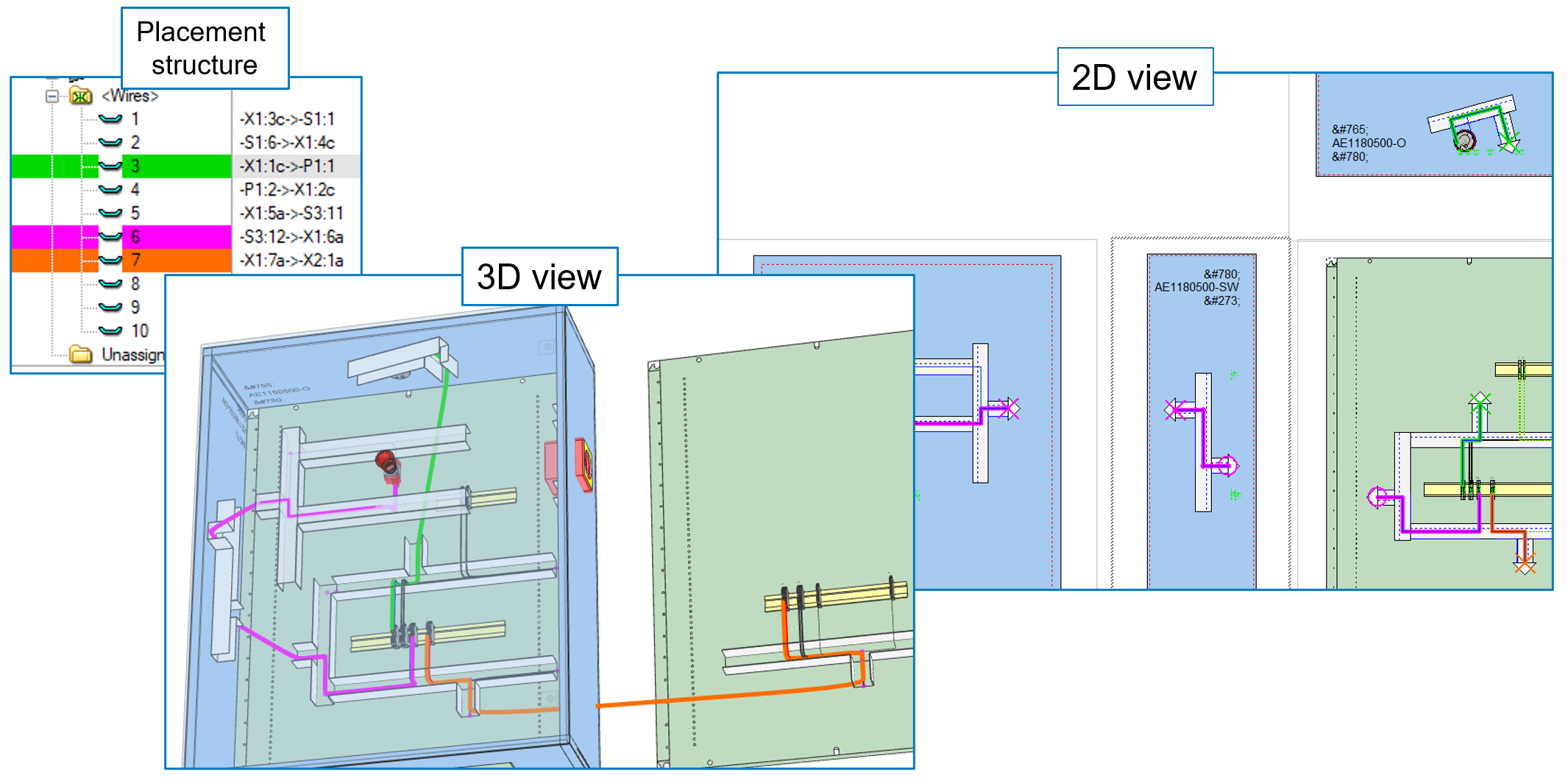
E3.panel places parts in 2D and 3D, handles busbars, routes wires and checks for collisions, then produces the assembly documentation the panel shop actually builds from.
E3.cable and E3.formboard take connectivity straight from the schematic, calculate wire lengths and harness diameters, and output 1:1 formboard drawings with cutting lists.
Round-trip interfaces to CATIA V5 and V6, SolidWorks, Siemens NX, Solid Edge, PTC Creo and Autodesk Inventor, so the electrical definition and the mechanical envelope stay in agreement.
Measured by customers
A 4 to 8 hour task reduced to 5 to 30 minutes, with predefined modules selected and combined instead of drawn from scratch for each configuration.
Kellenberger, opens in a new tab, precision grinding machines
Reduction for customer-specific vehicle configurations, with CE-compliant documentation and bills of materials generated from the model.
Kässbohrer Transport Technik, opens in a new tab, vehicle transporters
Reduction from order to delivery after integrating E3.series with ERP and PPS systems, with quotes supplied in days rather than weeks.
Pantec Automation, opens in a new tab, control systems
These are outcomes the customers reported in their own case studies, in their own operating conditions. Your starting point, library maturity and process discipline decide how much of it transfers. The Test Drive works through a prepared design example rather than your own data, so use it to judge the method, then talk to a specialist about your own projects.
Where E3.series is used
Zuken has built electrical and electronic engineering software for more than 45 years. E3.series teams work in machine building, panel manufacturing, agricultural and construction equipment, rail, fire and rescue vehicles, and aerospace.
Fire and rescue vehicle manufacturer. Standardised design and manufacturing, testing and verification moved into the design stage, shorter delivery lead times.
Agricultural machinery. Complete harness manufacturing specifications for sourcing and contract manufacture, improved fit and shorter lead times through ECAD and MCAD coordination.
Print processing machinery. Up to 80% of all variants represented in a single project feature tree instead of separate project files.
Software evaluation
The E3.series Test-Drive is a web-based guided tour through a complete design example, using fully featured E3.series software. You choose the track, and a Zuken specialist sets your access up around it.
What happens after you register. A Zuken specialist comes back to you to confirm which track you want and to set your access up around it. Telling us your current ECAD tool on the form means that conversation starts in the right place.