Layout drawn twice
The mounting plate is laid out once in the schematic tool as a symbol list and again in a mechanical tool as geometry, with nothing keeping the two aligned.

E3.series · E3.panel
Circuit diagram, terminal plan, 2D and 3D cabinet layout, busbar and wire routing, and the assembly documentation the panel shop builds from, all derived from one model.
Where panel projects lose time
When the circuit diagram and the physical layout live in different tools, agreement between them is a manual task. Parts get placed that do not fit, wire lengths are estimated, and the mismatch is found on the shop floor rather than at the desk.
The mounting plate is laid out once in the schematic tool as a symbol list and again in a mechanical tool as geometry, with nothing keeping the two aligned.
Without routed paths through ducts and around obstacles, cut lengths are estimates. The workshop absorbs the difference in offcuts and rework.
Every option on the machine becomes another cabinet drawing to create, check and keep current alongside the others.
What E3.panel does
E3.panel works on the same object model as the schematic. Place a device on the mounting plate and it is the device from the circuit, with its terminals, its dimensions and its connections already known.
Mounting plates, DIN rails, ducts and enclosures in both representations, with clearance and collision checking against real component geometry.
Busbar systems configured in the model, and wires routed through ducts so cut lengths come from the design rather than from an estimate.
Part selection, wire gauge allocation and collision prevention checked continuously, so compliance problems appear during design.
Assembly drawings, drilling and machining data, terminal plans, wire lists and bills of materials generated from the model and regenerated when it changes.
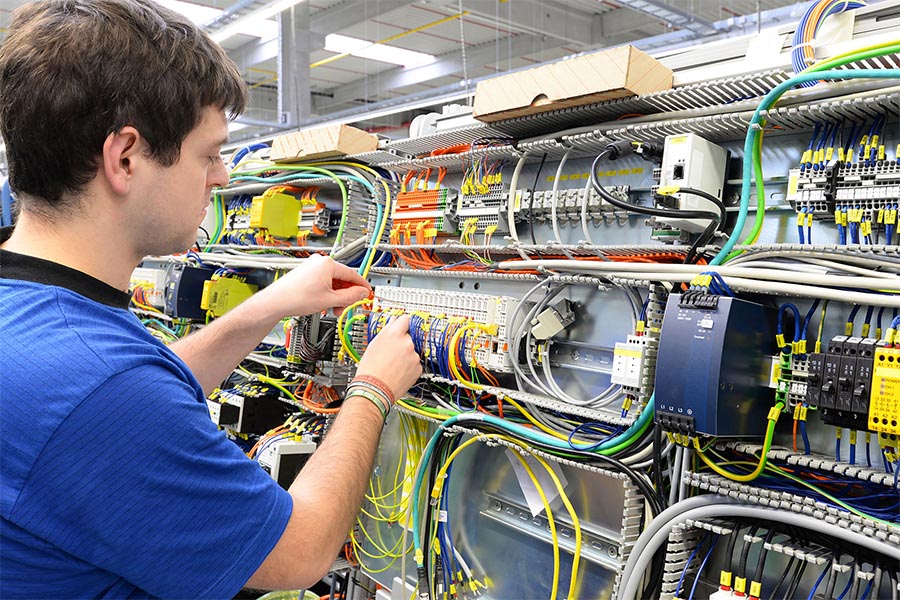
E3.3DPanelBridge extends this to a 3D mechanical environment where the enclosure itself is engineered alongside the machine, for teams whose cabinet is part of a larger mechanical assembly.
Measured by customers
Reduction from order to delivery, with machine quotes supplied in days rather than weeks after integrating E3.series with ERP and PPS.
Pantec Automation, opens in a new tab, control systems for automated machines
Share of all machine variants represented in a single project feature tree, selected and applied rather than maintained as separate files.
Müller Martini, opens in a new tab, print processing machinery
Reduction in electrical design time across the electrical engineering workflow, with a corresponding improvement in project return.
ARM Automation, opens in a new tab, automation systems
Reported by those customers in their own case studies and in their own operating conditions. How much transfers depends on your library maturity and how standardised your cabinet designs already are. A Test Drive on one of your own cabinets is the honest test.
Design to manufacture
Zuken is a founding member of the Smart Cabinet Building initiative, which defines how design data reaches manufacturing equipment. E3.series works with solutions from Weidmüller, Komax, nVent Hoffman and Armbruster Engineering.
Cut lengths, end treatment and wire markers come from the routed model, so automated wire processing equipment takes its instructions from the design.
Mounting plate machining data generated from the layout, removing a manual transcription step between engineering and the workshop.
Software evaluation
The E3.series Test-Drive is a web-based guided tour using real E3.series software. The machinery and panel track takes you from circuit diagram to 3D cabinet layout.
What happens after you register. A Zuken specialist comes back to you to confirm which track you want and to set your access up around it. Telling us your current ECAD tool on the form means that conversation starts in the right place.